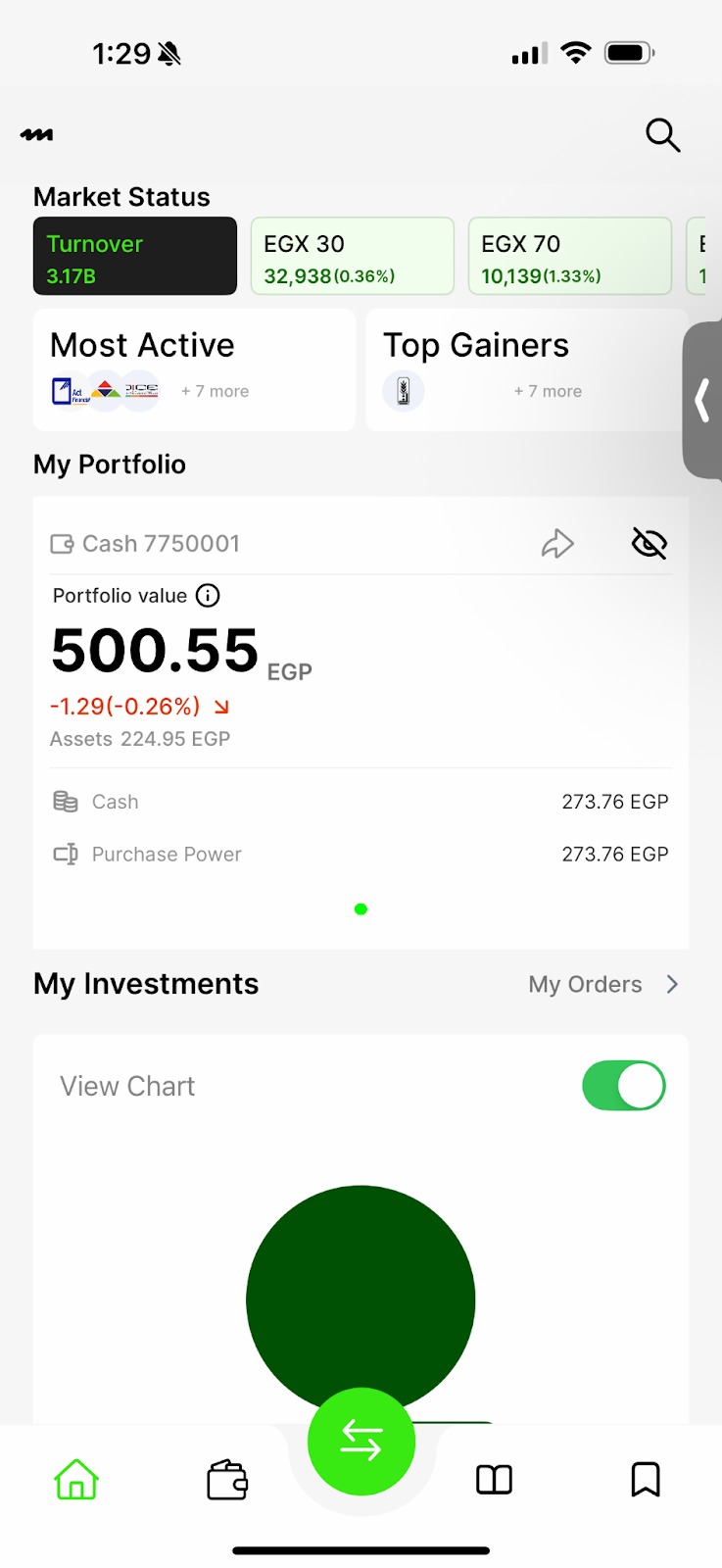
Open the app.
On the home screen.
Tap the middle icon with the crossing arrows.
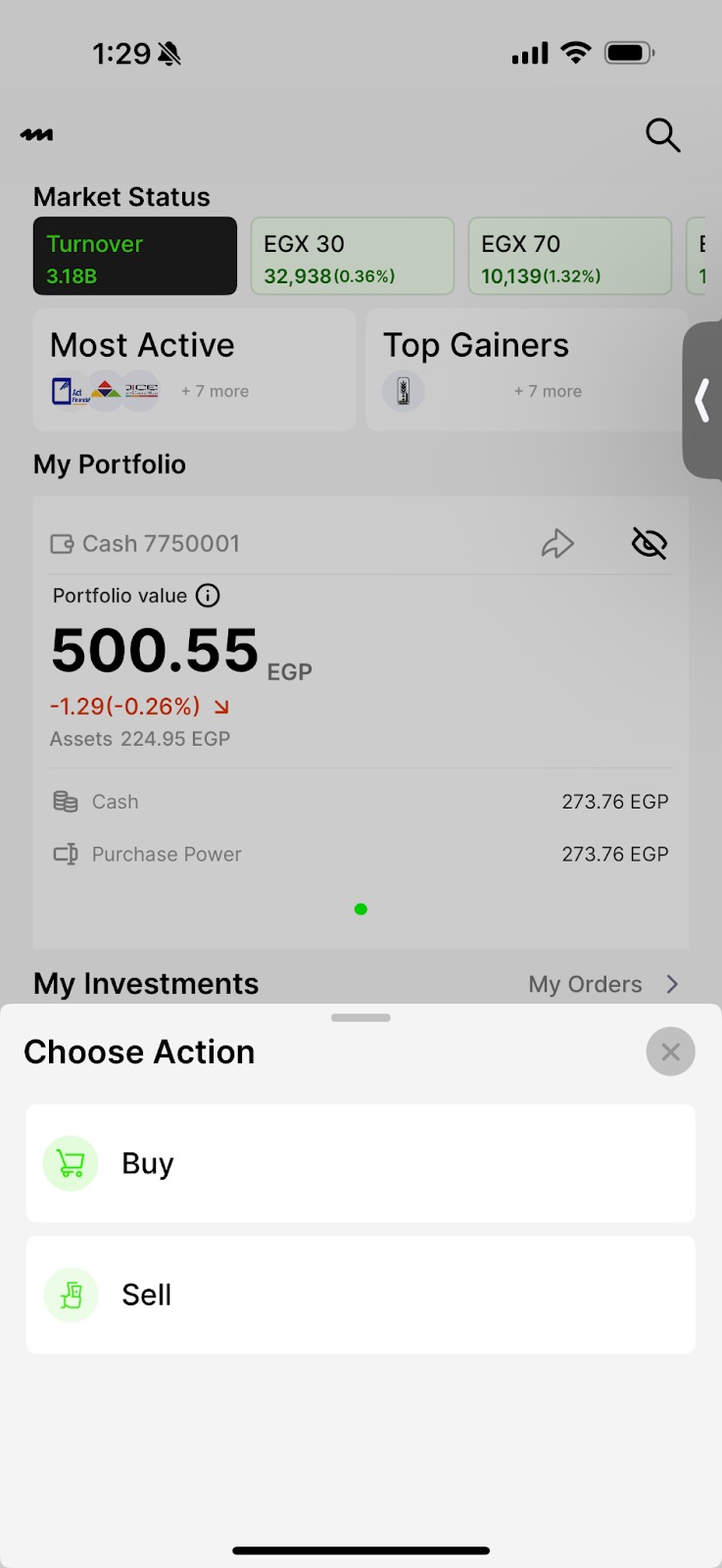
Choose an action.
A menu will appear with two options: buy and sell.
Choose an action.
A menu will appear with two options: buy and sell.
Tap sell.
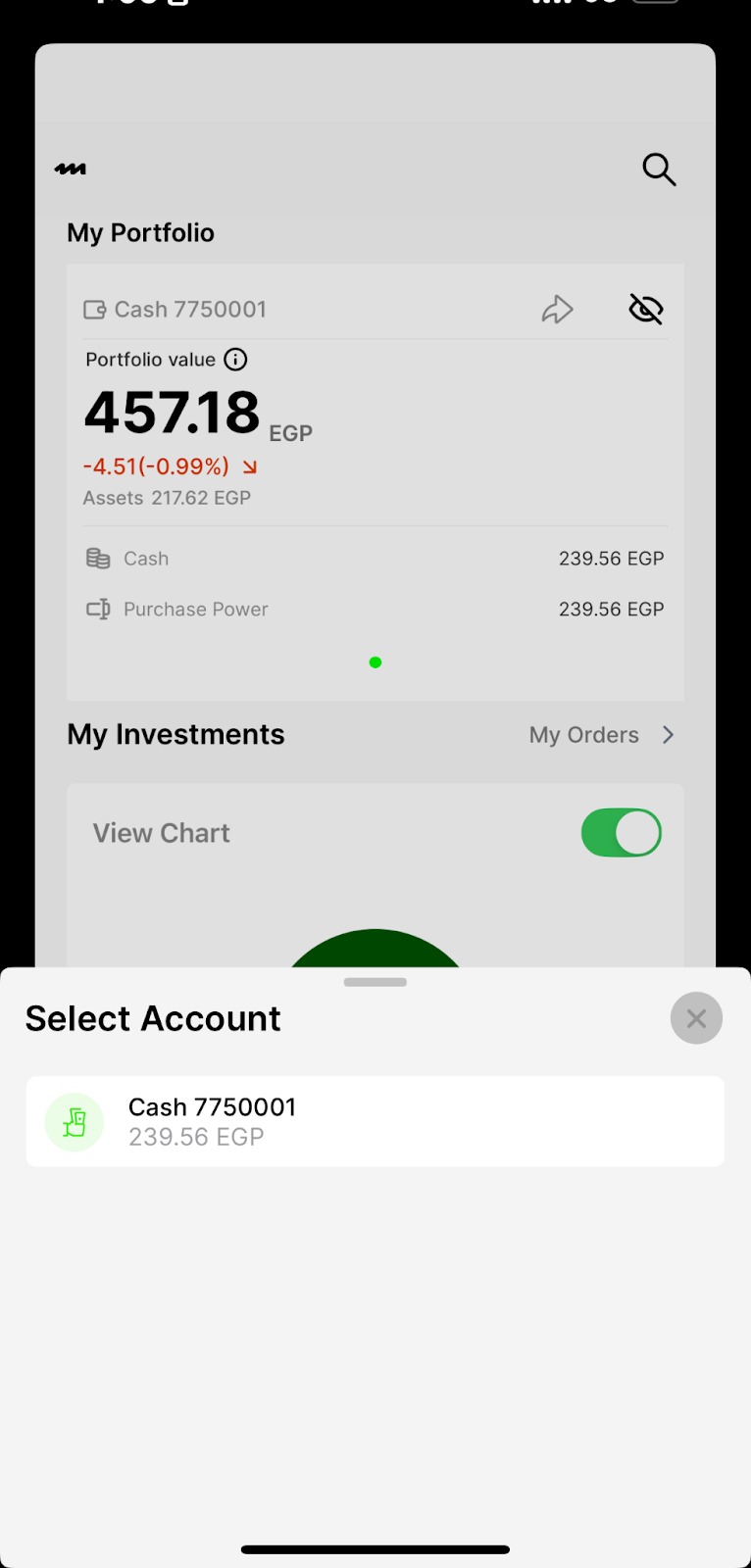
Select an account
You will be asked to choose the account you want to trade with. There are two types of accounts:
Cash Account
Margin Account
Select your preferred account for the transaction. If you only have one account, you will still need to select it.
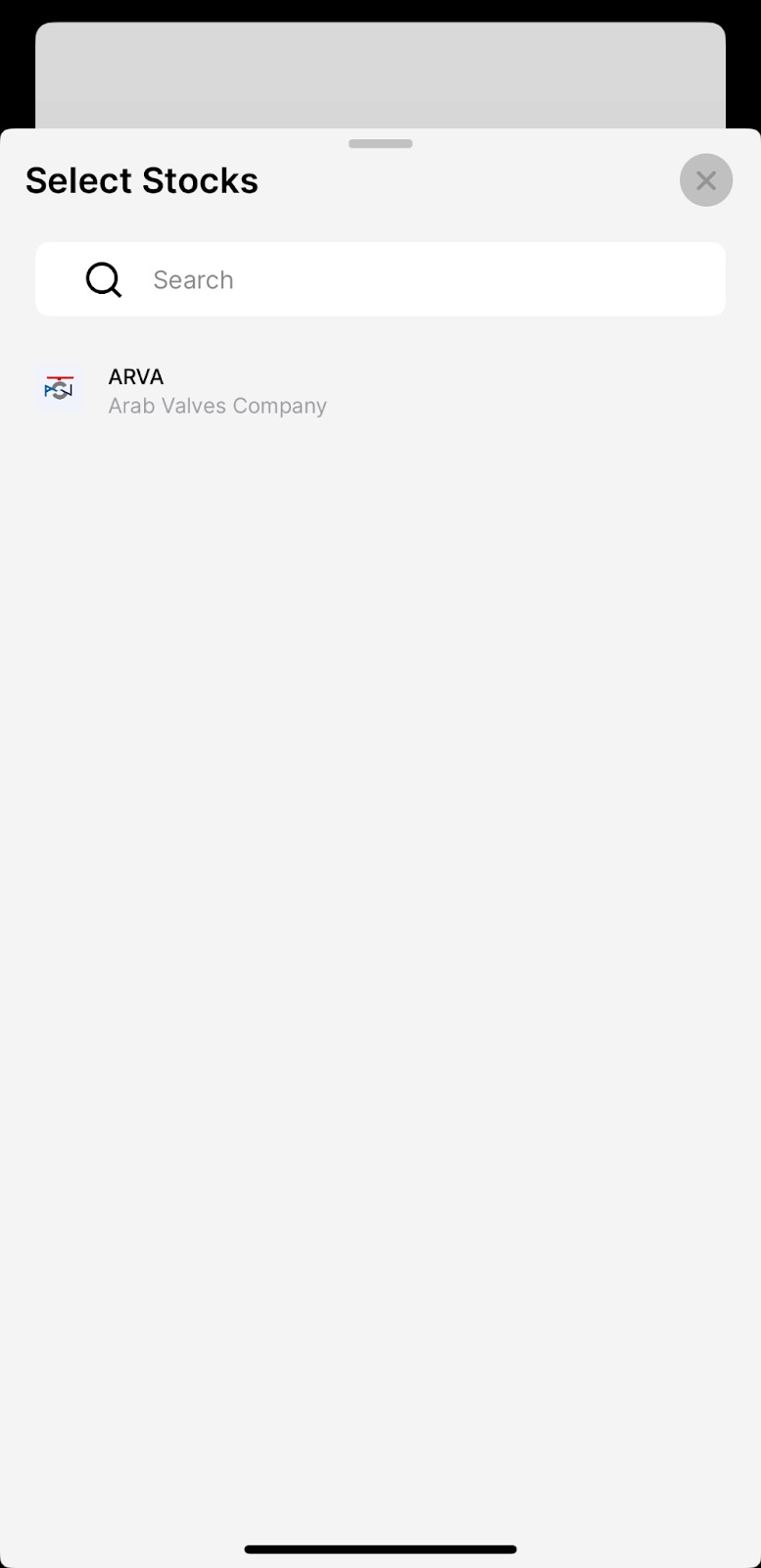
5. Select stocks
You can either:
Type the name of the stocks in the search bar or
Select it from the list of companies displayed below the search bar.
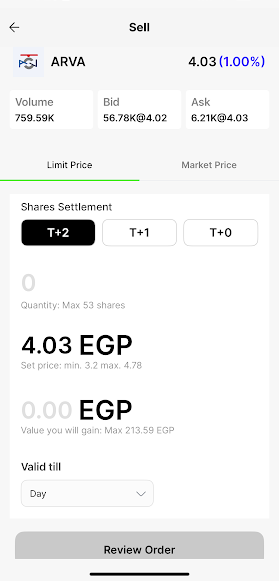
6.Enter order details
Choose the quantity of shares you want to buy.
Select the order price:
Market price: this means you are selling the stock at its current price in the market. The order is executed immediately at the best available price.
Limit price: this means you set the price you are willing to sell at. Your order will only be executed if the stock reaches that price.
Example: if a stock is currently trading at 48egp and you place a limit order at 50egp, your order will only go through if the stock price gains to 50egp.
Select the order validity (e.g. good for day, good until canceled or good until date)
7.Review your order
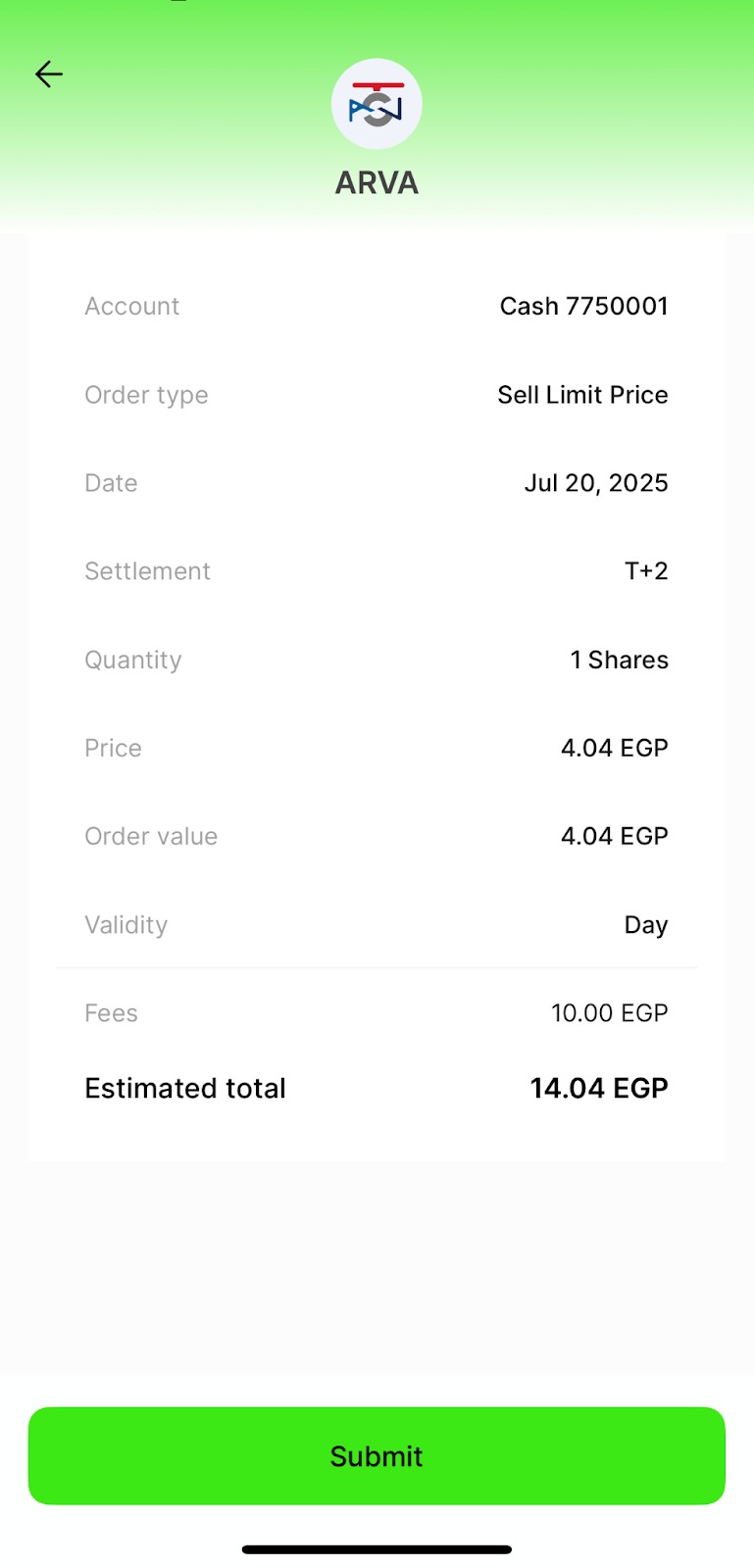
Tap review your order to see a summary of your purchase, including:
Account type
Order type
Date
Settlement
Quantity
Price
Order value
Validity
Fees
Estimated total
Submit the order
8.Submit order
Tap the submit button.
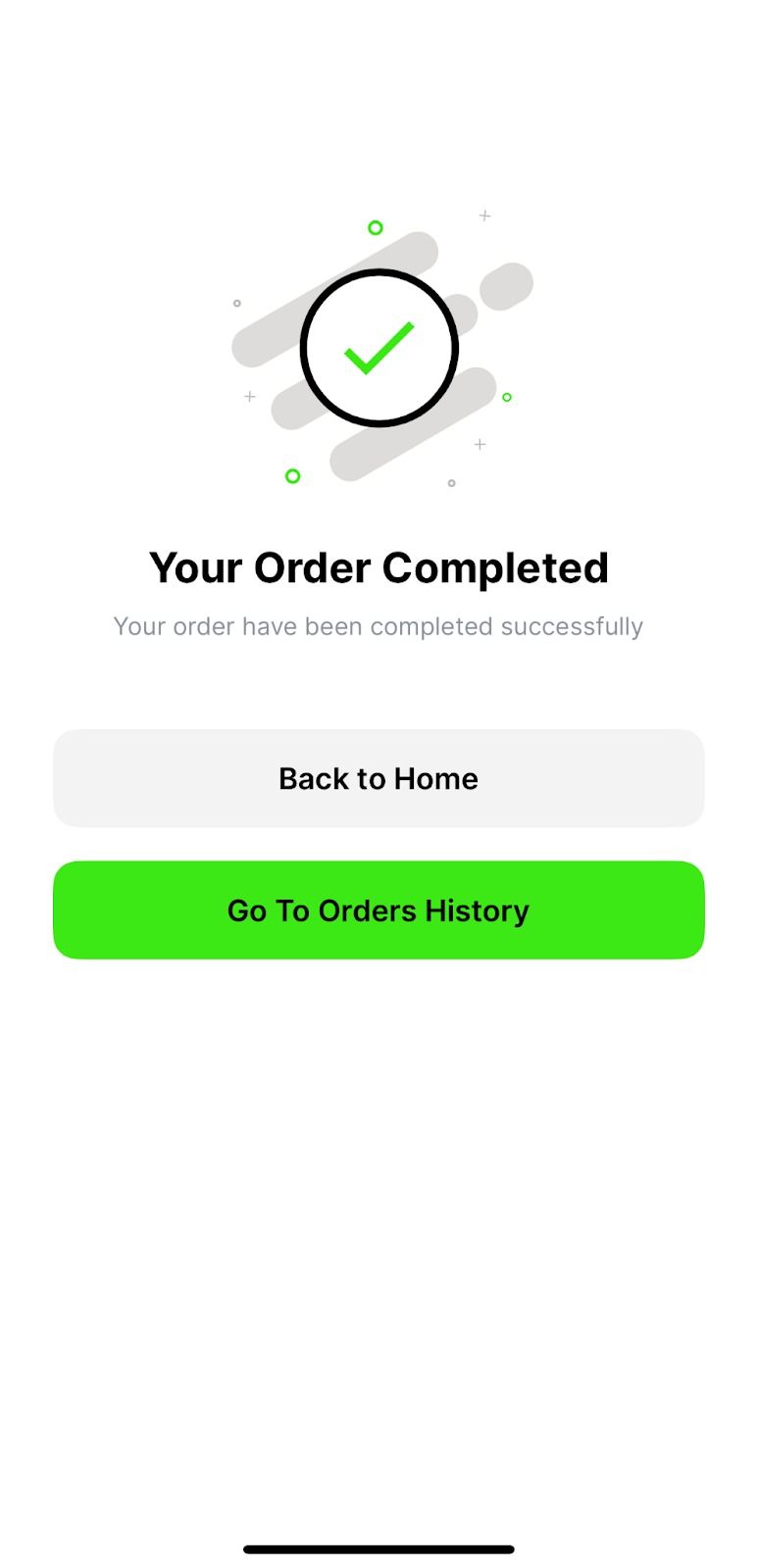
Your order is now placed! You will receive an SMS notification on your registered mobile number confirming the purchase details.
Was this article helpful?
That’s Great!
Thank you for your feedback
Sorry! We couldn't be helpful
Thank you for your feedback
Feedback sent
We appreciate your effort and will try to fix the article