TABLE OF CONTENTS
Brief:
This article is designed to help you understand how to withdraw money from your wallet within the app, whether you're sending funds to a bank account or a mobile wallet. The goal is to make the withdrawal process simple, clear, and easy for you to complete without any confusion.
Prerequisite :
Ensure you have already created a Mint account.
Ensure you have a stable internet connection.
Ensure your device is updated to the latest OS version.
You must have enough available balance to cover the withdrawal amount.
Step-by-Step Guide:
1.Tap the wallet icon located at the bottom left corner of the screen.
2.Your current total balance will appear.
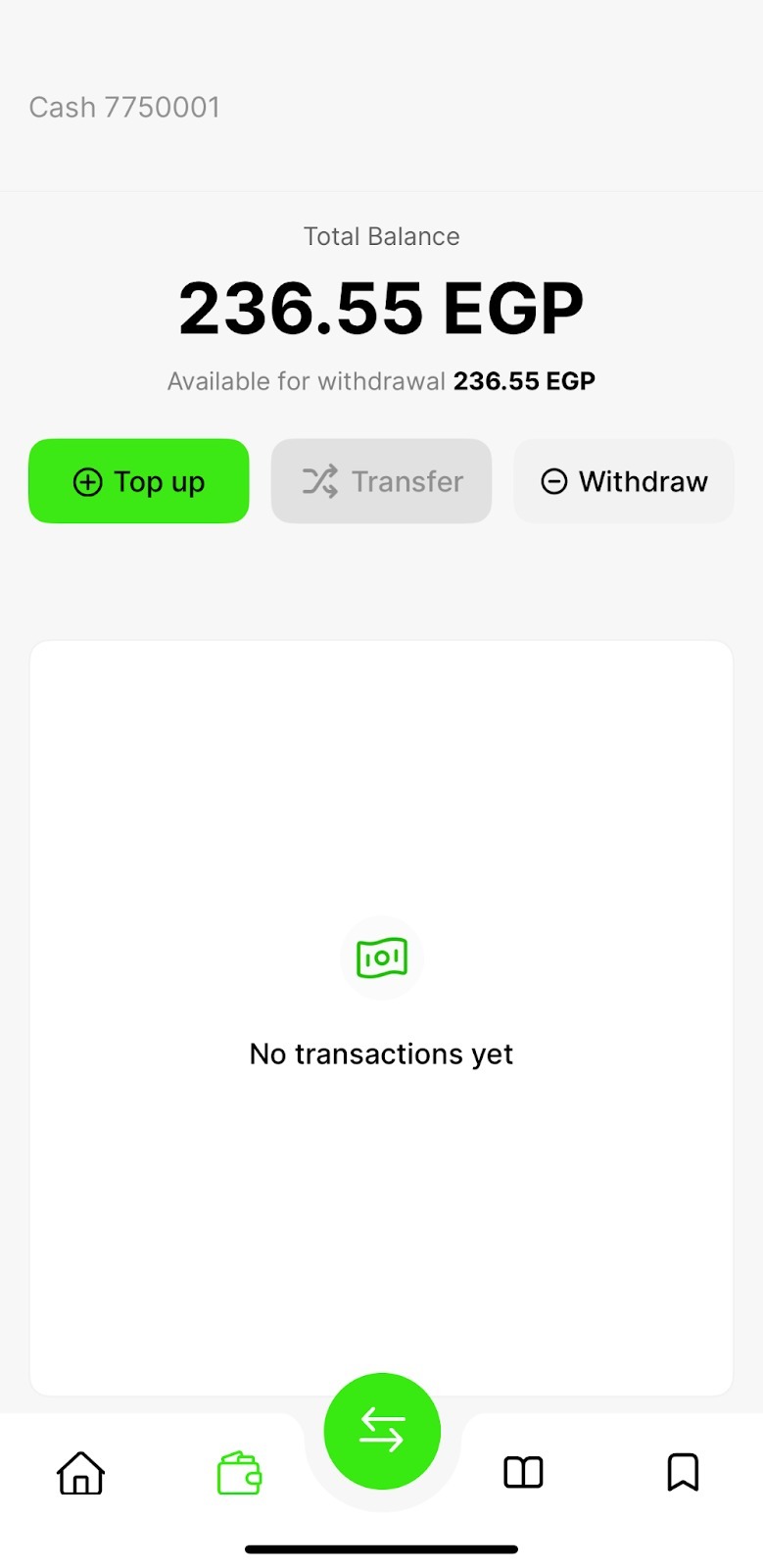
Press the “Withdraw” icon.
You’ll be given two withdrawal options:
Bank Account
Mobile Wallet
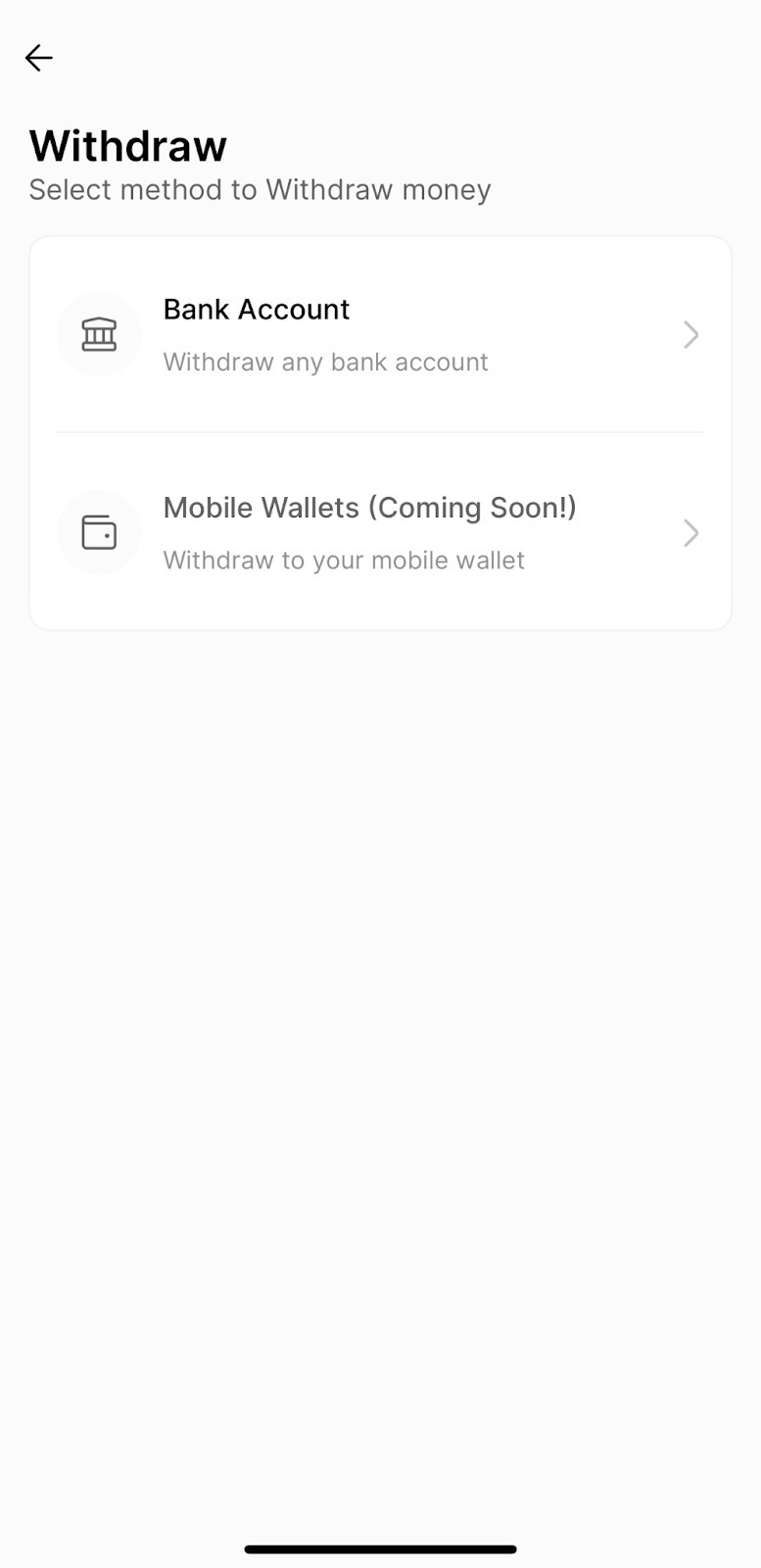
5.Select the method that suits you best.
6.Once selected, detailed instructions will appear to guide you through the withdrawal process.
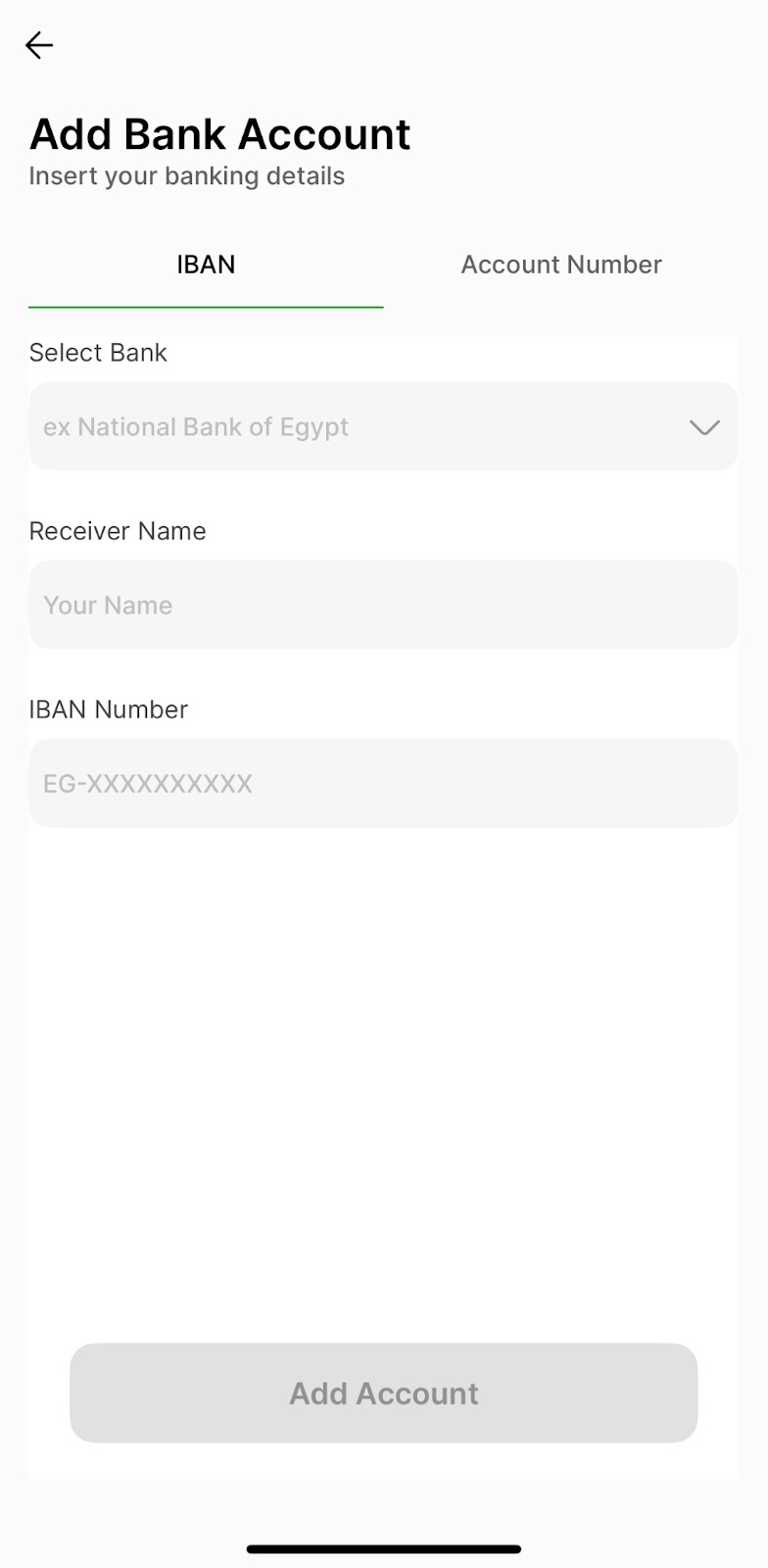
7.After filling in all the required details, tap the “Add Account” button at the bottom center of the screen.
8.Once your account is added, you’ll be ready to complete your withdrawal.
Was this article helpful?
That’s Great!
Thank you for your feedback
Sorry! We couldn't be helpful
Thank you for your feedback
Feedback sent
We appreciate your effort and will try to fix the article